AI diagraming and inline creation
The context
Designing generative visual content tools that help users translate ideas into structured visual outcomes.
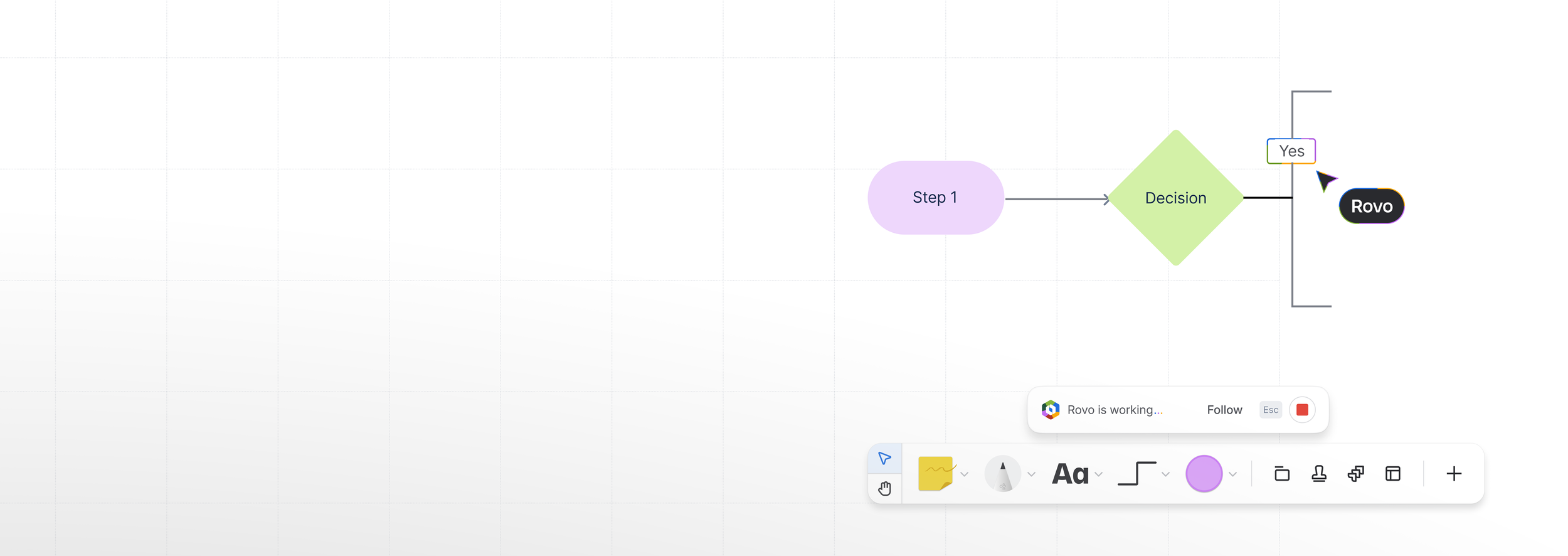
We introduced AI capabilities into Confluence Whiteboards to help teams structure ideas in freeform spaces—automatically generating diagrams, templates, and thematic groupings for common workflows like brainstorming, analysis, and workshops.
My role: Led UX research, interaction and UI design, prototyping, and cross-team collaboration for generative visual content tooling within Confluence Whiteboards.
Team context: Built as part of the Whiteboards product’s broader AI initiatives, where the team explored new ways to integrate AI capability directly into creative workflows.
AI challenge: What is a diagram? and how can AI work in a freeform space.
Design principles I drove:
Leverage contextual signals: Use board selections and phrasing as primary input to guide generation.
Minimise friction: Reduce steps between user intent and visual output to keep creative momentum.
Support control & refinement: Ensure users can easily refine and correct AI-generated visuals.
Final design for AI generated diagrams in whiteboards
Problem and solution
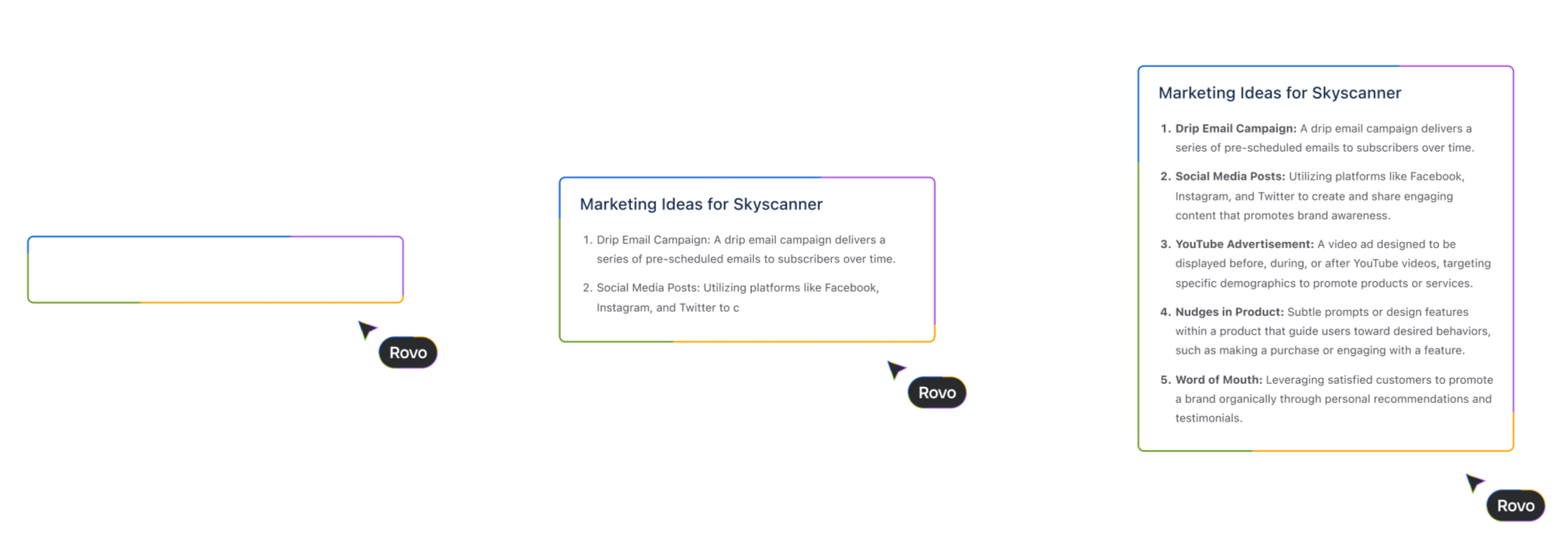
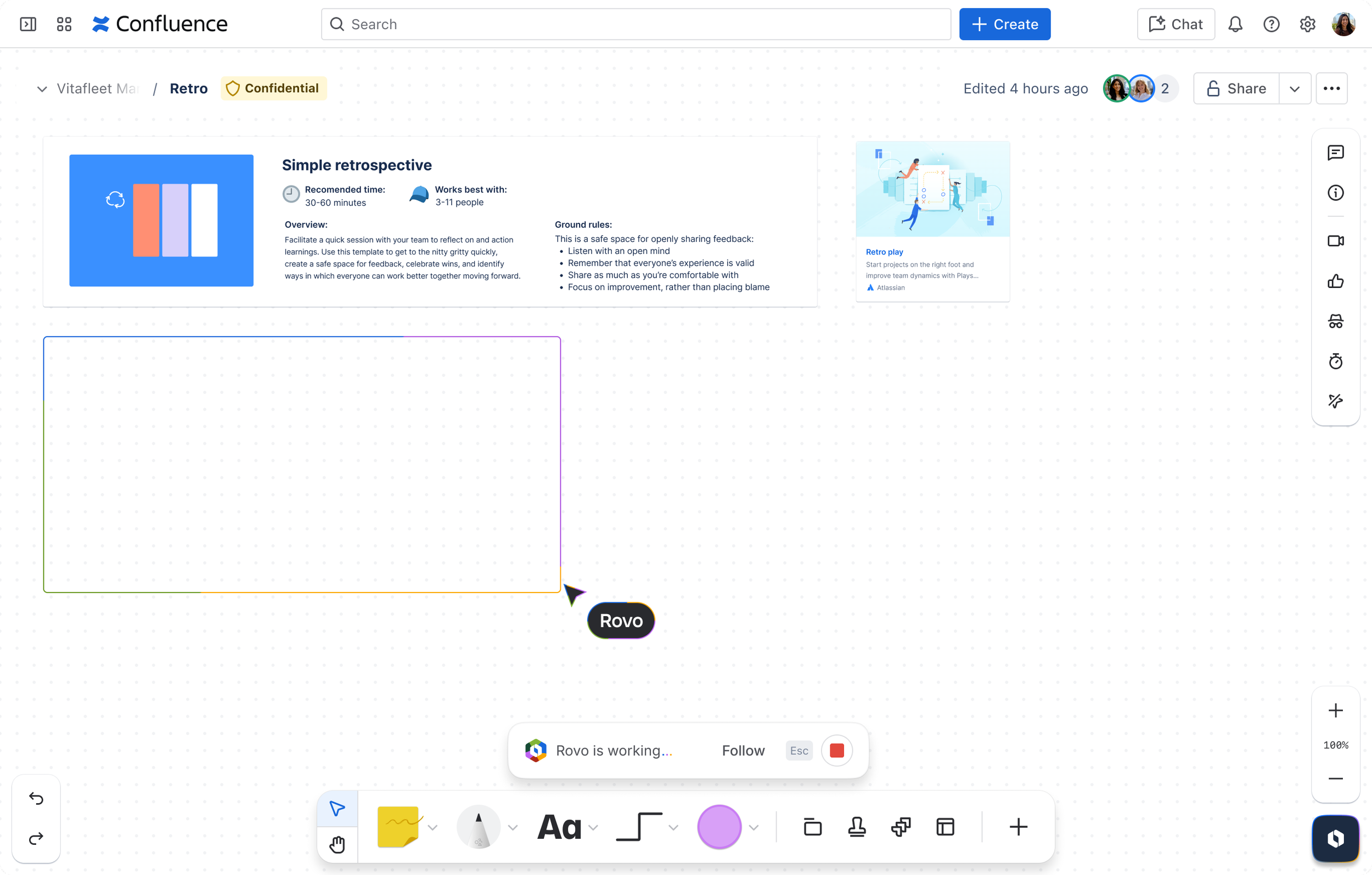
Example of Ai generated templates in whiteboards
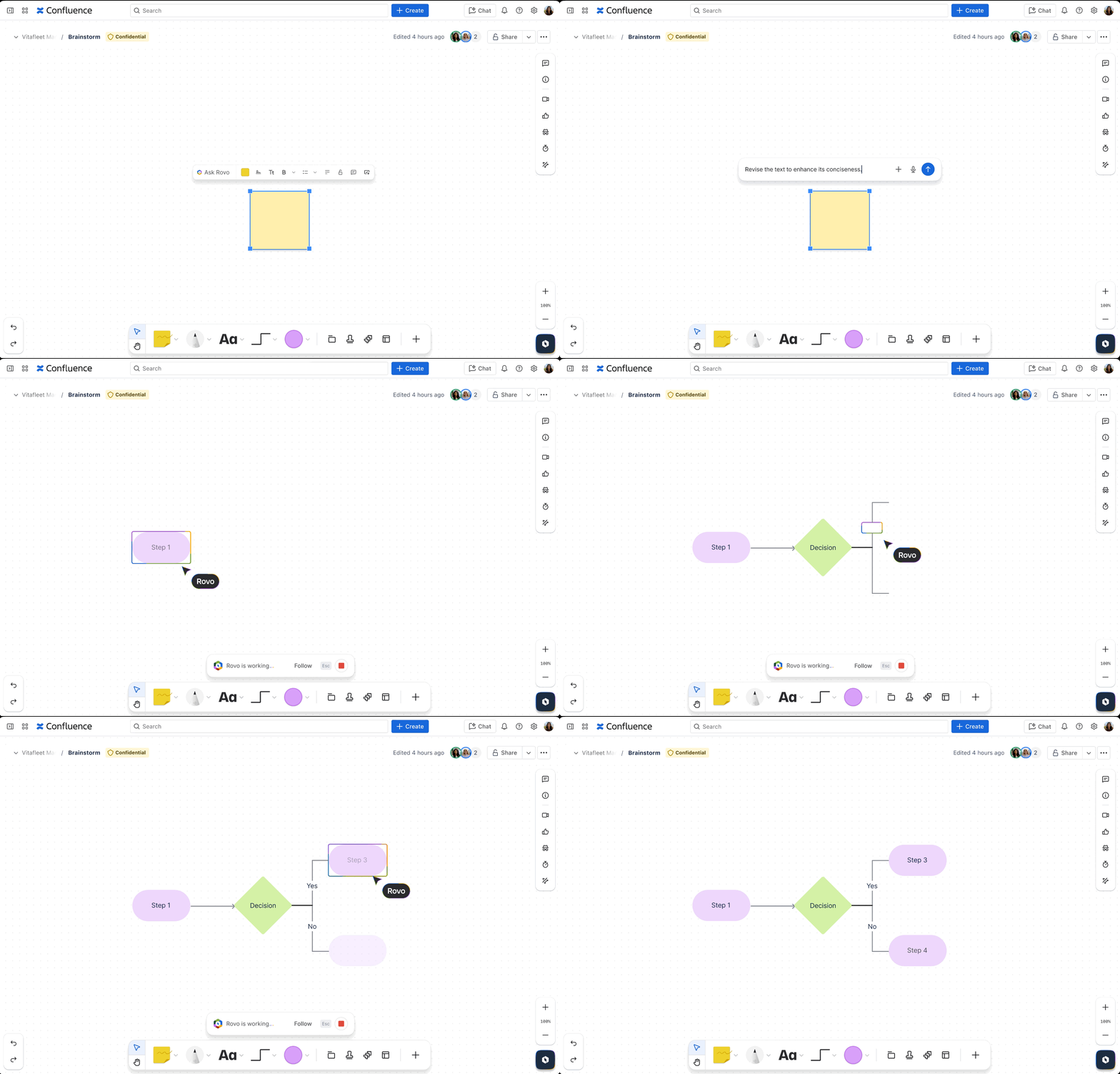
I designed and defined core interaction patterns and behavioural principles for multiple AI features in Whiteboards, including per-object versus grouped boundaries, cursor behaviour during generation, and how AI-generated diagrams are created, edited, and restructured over time.
I collaborated closely with content, platform, and design systems teams across Atlassian to align these patterns within Confluence, intentionally prioritising familiarity over strict consistency to suit the freeform nature of whiteboards. I also led the visual and motion language for AI, defining how borders, animations, and state changes communicate system intent and progress without interrupting creative flow.
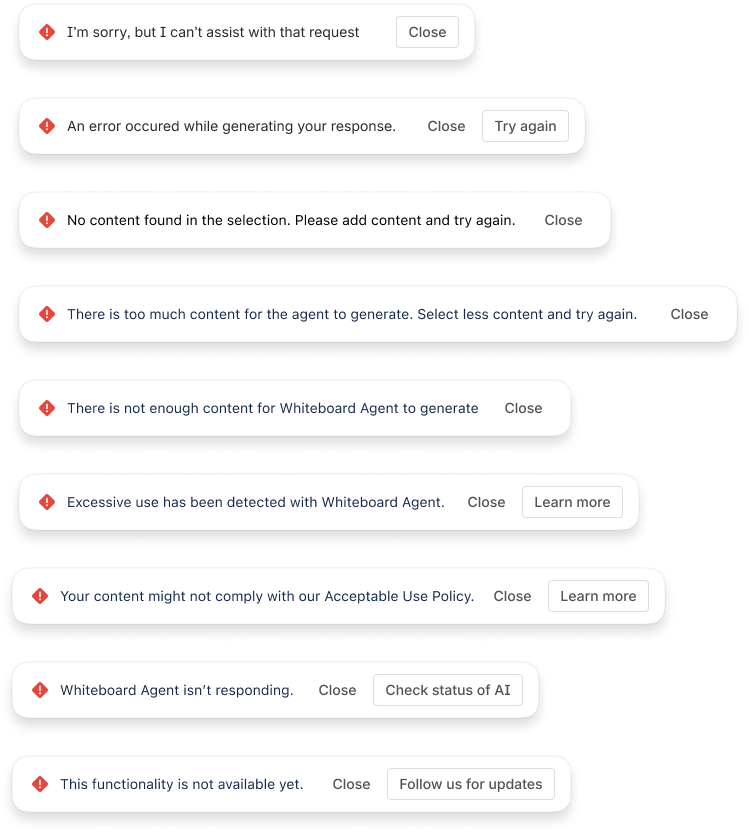
The work introduced new inline and on-selection entry points for AI actions, requiring clear interaction rules for interruption scenarios, such as when users move objects, modify content, or click away mid-generation so outcomes remained predictable and user-controlled. As the system evolved, we implemented robust error handling, usability testing, and targeted stress tests to ensure AI behaviours were reliable, scalable, and trustworthy across real-world use cases.
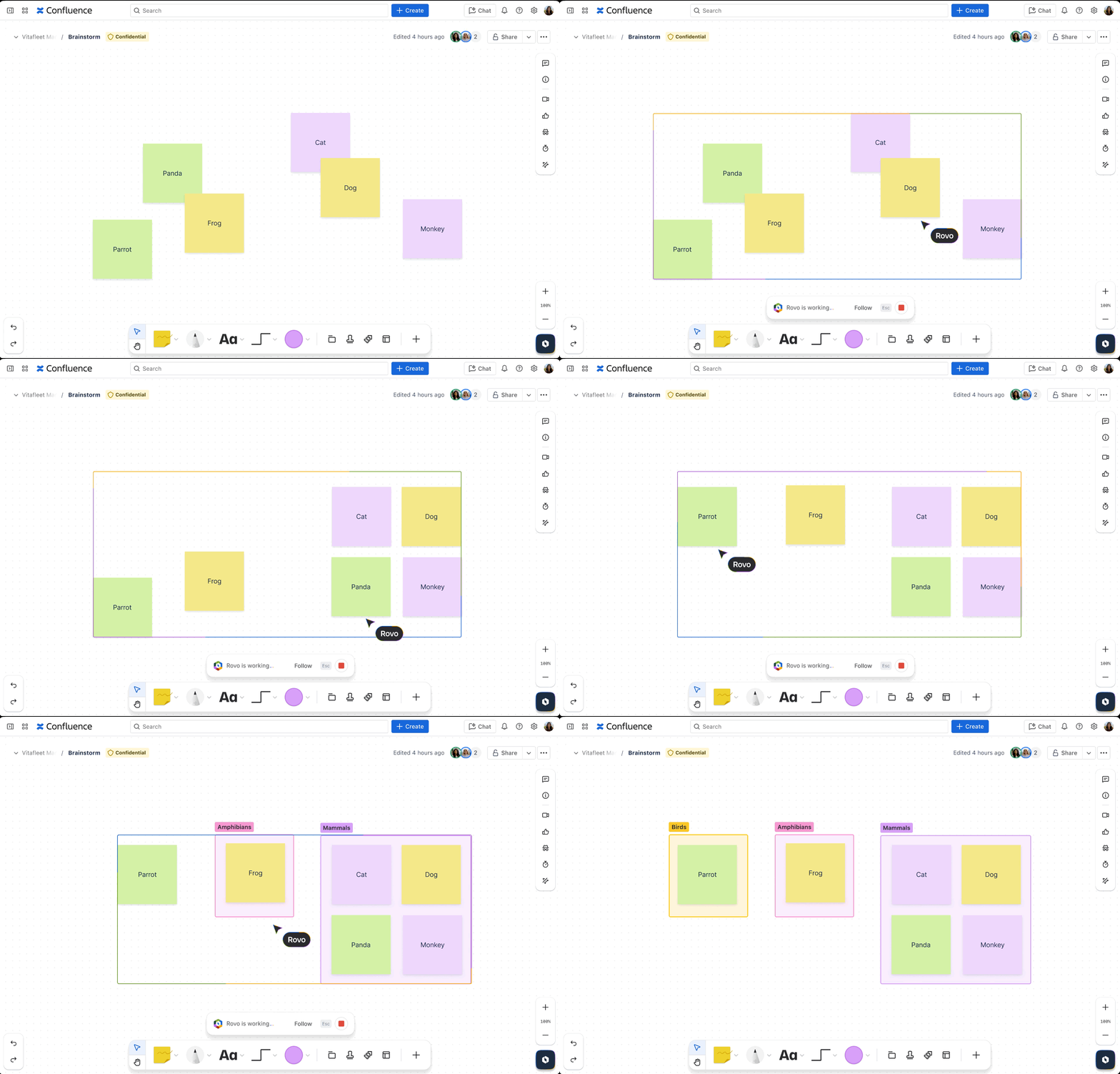
Ai generated clustering sticky notes in whiteboards
Whiteboards are powerful for freeform ideation, but teams often struggle to structure and act on ideas efficiently. We introduced AI capabilities that leverage board context to automatically generate diagrams, templates, and thematic groupings, helping users move from raw ideas to structured outcomes without disrupting creative flow.
The process
-
Once the work was prioritised, I identified the project’s key stakeholders and the teams we needed to align with on AI-generation patterns. I organised a series of workshops to explore how AI-generated content should be represented across different format: individual objects, text blocks, and grouped elements. From those sessions, I developed concepts for applying the patterns to diagramming, clustering, and content-creation flows. I also defined practical rules for consistent generation (for example, content should be produced from left to right and top to bottom) and collaborated closely with content designers to ensure that the generated output met the expected structure and tone.
-
During the explore phase, we moved quickly through rapid iteration cycles, with frequent sharebacks and reviews to maintain alignment under a strict delivery deadline. We held regular leadership reviews while keeping adjacent teams informed as the work evolved. Early exploration focused on introducing a new AI entry point, initially supporting a basic diagram generator and a theme-clustering capability to validate core use cases.
To support fast learning, we established a golden dataset that was updated continuously and used for daily blitz sessions, allowing us to stress-test outputs and iterate at speed. One of the key challenges during this phase was defining what constituted a “diagram” in a freeform space—distinguishing between structured diagrams and looser artefacts like affinity groupings or collections of sticky notes.
Working closely across product, design, engineering, and AI teams, we explored generative visual approaches alongside other Whiteboards AI initiatives. This included researching how users currently create and evolve diagrams, prototyping multiple ways to trigger generation, and partnering with engineering and model teams to align on feasible behaviours and constraints. As model capabilities shifted, we iterated on both UI patterns and generation logic to maintain usefulness without sacrificing predictability or control.
Several key decisions shaped the experience. Generation is context-driven, using selected content and free-text cues to infer appropriate visual output. All generated diagrams remain fully editable, reducing the risk of locked or overly prescriptive AI content. To minimise disruption, suggestions are surfaced inline or within context menus rather than through modal dialogs, allowing users to stay immersed in their board.
Throughout exploration, design decisions were guided by a small set of principles: leveraging contextual signals over explicit prompting, minimising friction between intent and outcome, and supporting easy refinement and correction of AI-generated visuals. These principles ensured the experience felt supportive and adaptable, rather than intrusive or authoritative.
-
Explore and make go hand in hand, due to the nature of the project. This was a new technical area, and we needed to iterate quickly, so we designed alongside the creation of the feature. All bugs, fixes, and tweaks were written up and monitored daily.
The impact
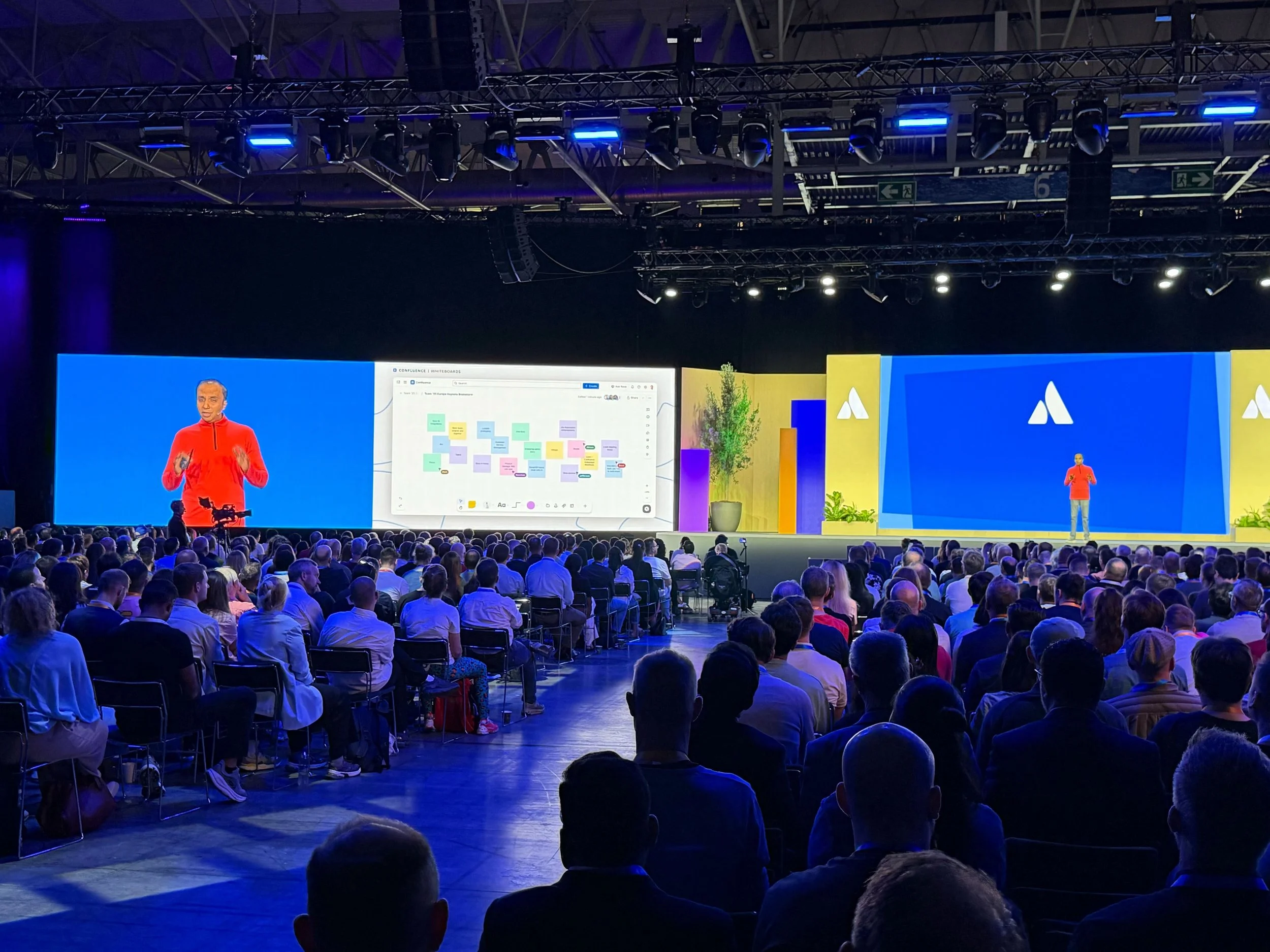
This work was presented at the main keynote for the Atlassian 2026 Euro TEAM25.
Contributed to broader strategy and patterns for AI-generated visual tooling across Atlassian’s collaboration products
Early prototypes informed other teams’ approaches to generative visuals
Helped establish interaction foundations for AI diagram tooling that paved the way for more advanced features
My designs were featured on this Atlassian-created marketing video https://www.youtube.com/watch?v=nUSCKntgsnY